Autostrek Update: Startup Presets, Dormers, Trusses, Project Planner 2, and Smarter Framing
Autostrek has been moving through a major phase of development. The goal has not only been to add more tools, but to make the whole workflow feel more connected: planning a project, generating the building, editing the structure, adding openings, measuring details, and producing more useful material information.
A More Complete Design-to-Framing Workflow
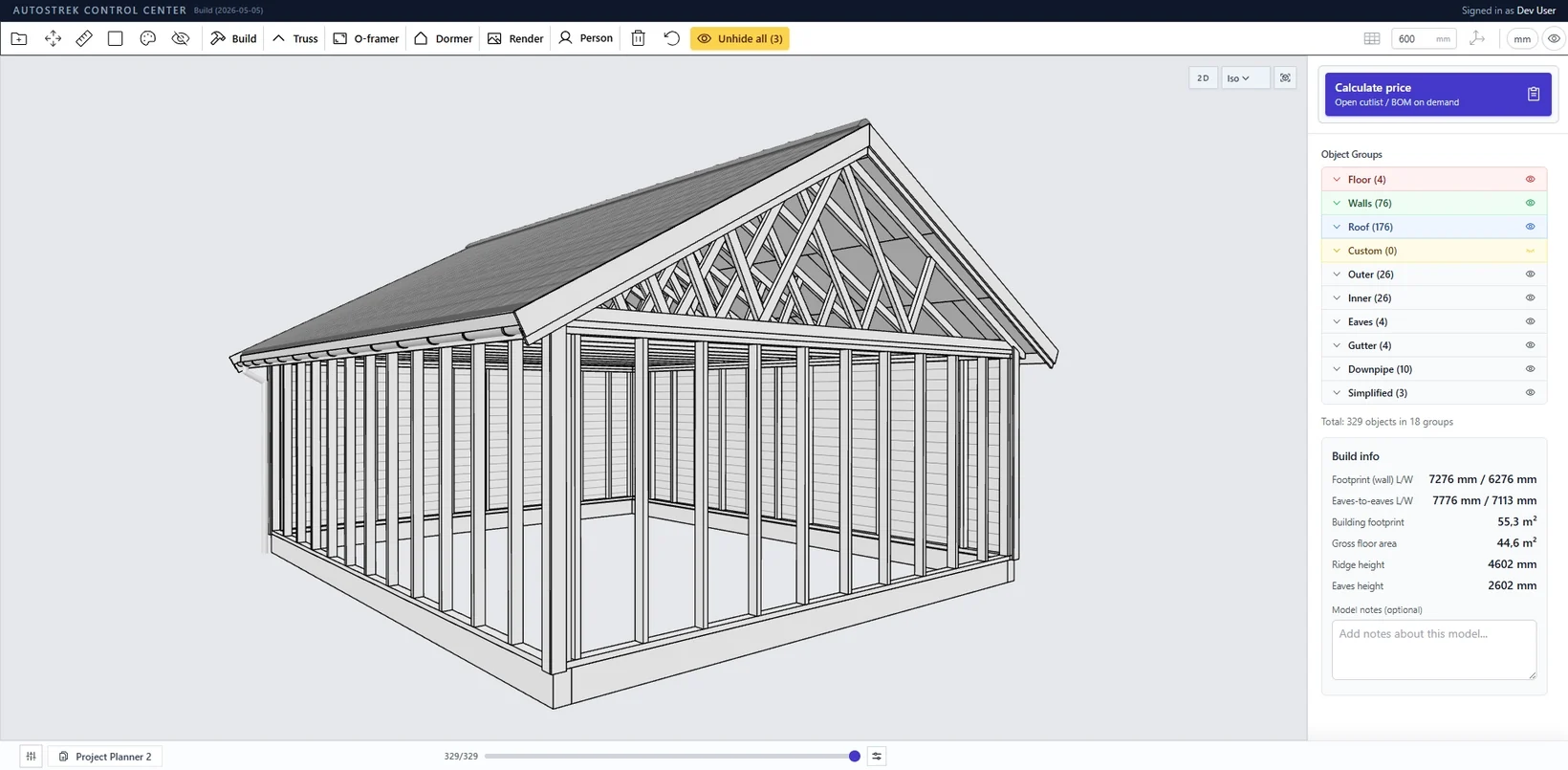
Autostrek is becoming more than a basic model generator. The app is gradually moving toward a workflow where the building can be planned, generated, adjusted, framed, measured, and prepared for material planning inside the same environment.
That direction is important because small changes in a building model often affect several other parts of the structure. A roof change can affect gable walls. A truss choice can affect attic flooring. A window placed in an upper gable wall needs to affect the surrounding studs, sheathing, and framing. The recent updates are focused on making these connections work more naturally.
New Startup Screen for Faster Builds
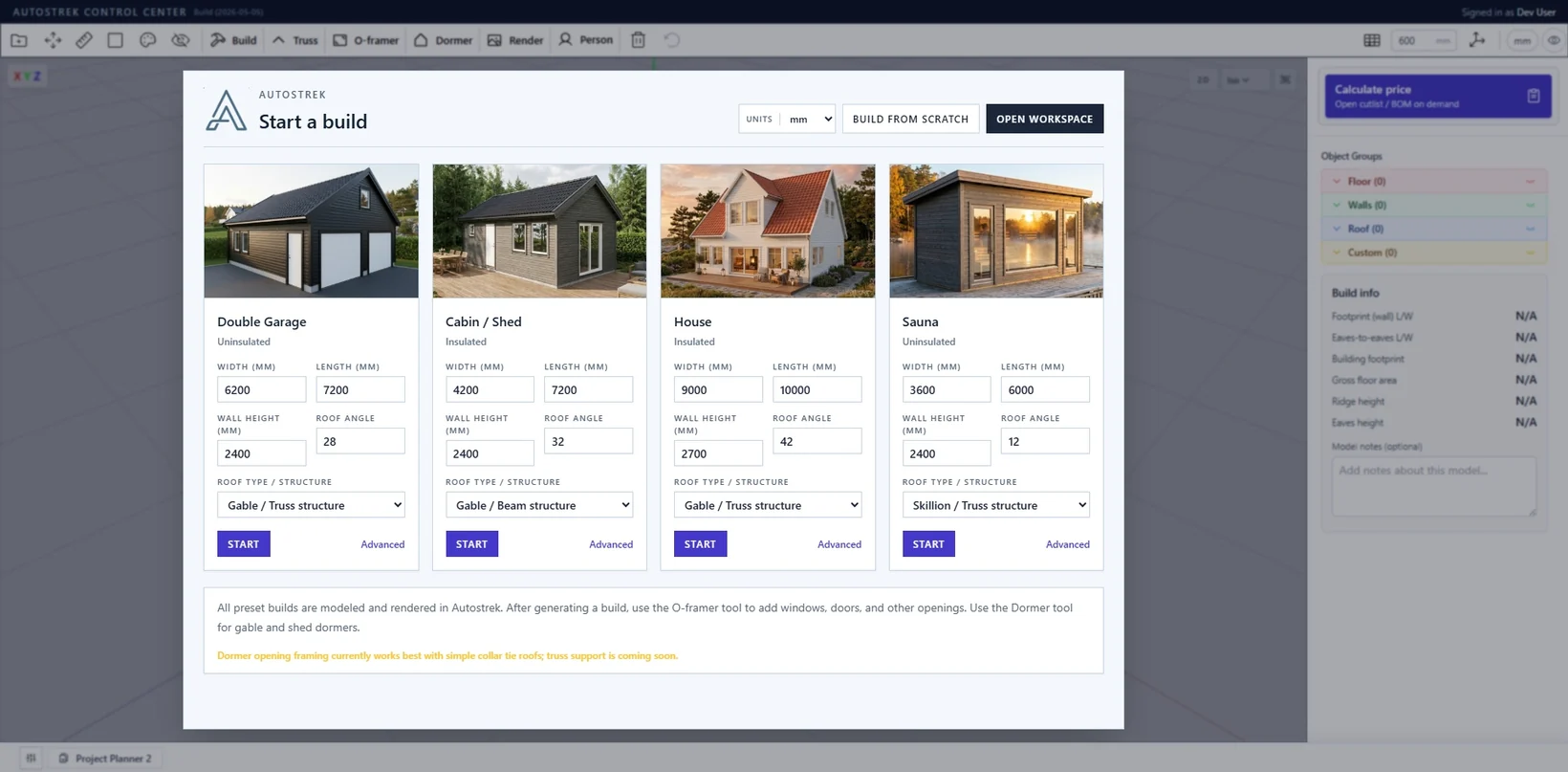
Autostrek now has a startup screen designed to make the first step faster and easier. Instead of starting from a blank generator every time, users can begin with a small set of practical preset builds and adjust the most important values before generating the model.
The current startup presets include a double garage, cabin or shed, house, and sauna. Each preset gives quick access to the main setup values such as width, length, wall height, roof angle, and roof type or structure. This gives new users a simpler way to get started, while still keeping the advanced build generator available when more detailed control is needed.
The startup screen also includes a Build from scratch option that opens the CC tape measure workflow. This is useful for users who want to lay out a custom project manually instead of starting from a preset.
The preset thumbnails are built and rendered in Autostrek, so the startup screen also works as a simple visual entry point into what the app can generate.
Brand New Project Planner 2
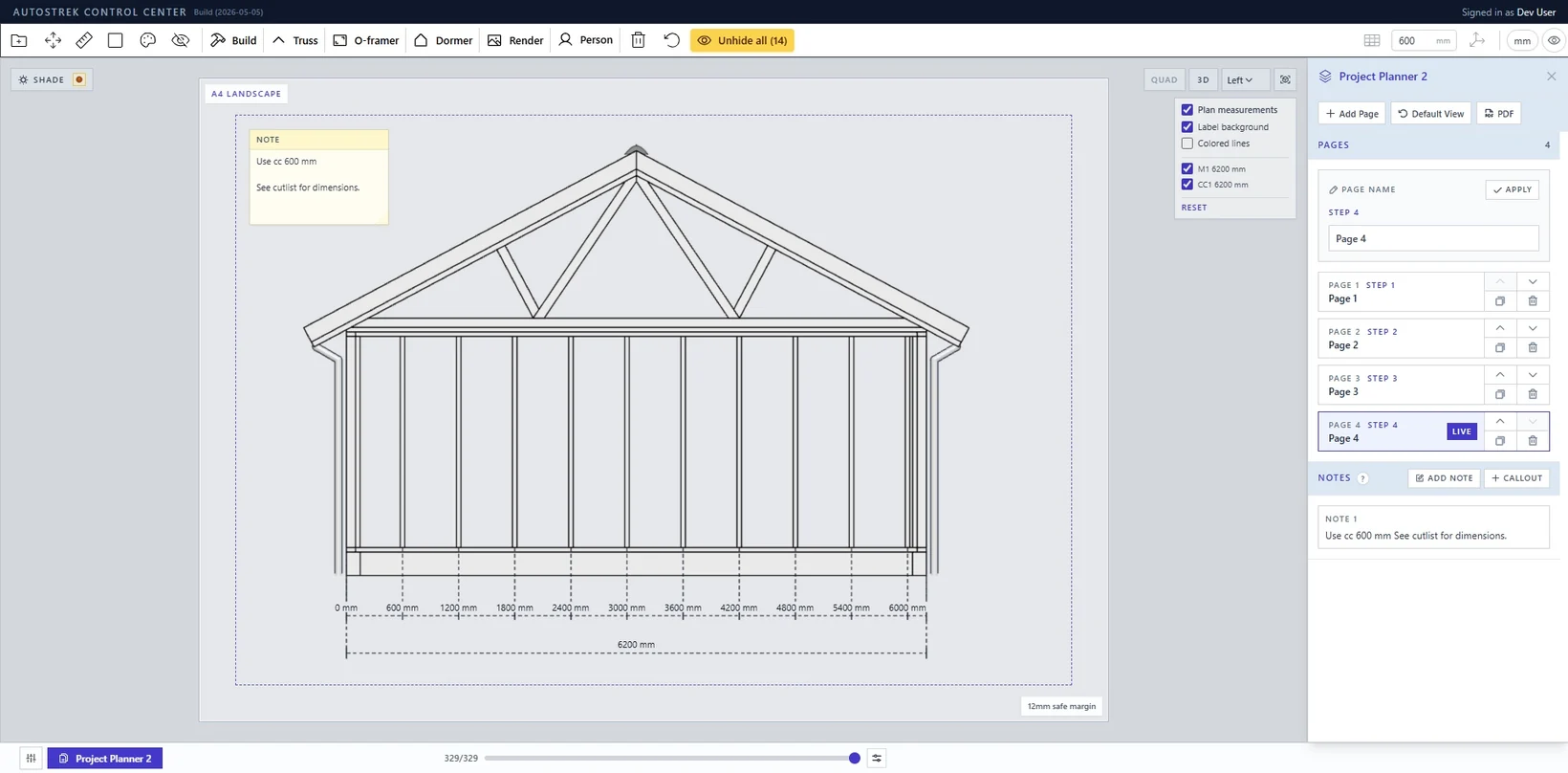
Project Planner 2 is a new step toward making Autostrek easier to use before a model is generated. Instead of treating the building generator as a single isolated form, the planner is designed to make the early project setup clearer and more structured.
The goal is to help users define the main project choices in a cleaner way, with a better foundation for future improvements such as saved planning presets, more detailed project summaries, and smoother transitions from project idea to generated building.
Project Planner 2 is still evolving, but it is an important part of the larger direction for Autostrek: less guesswork, better organization, and a more guided path from concept to model.
The Dormer Tool
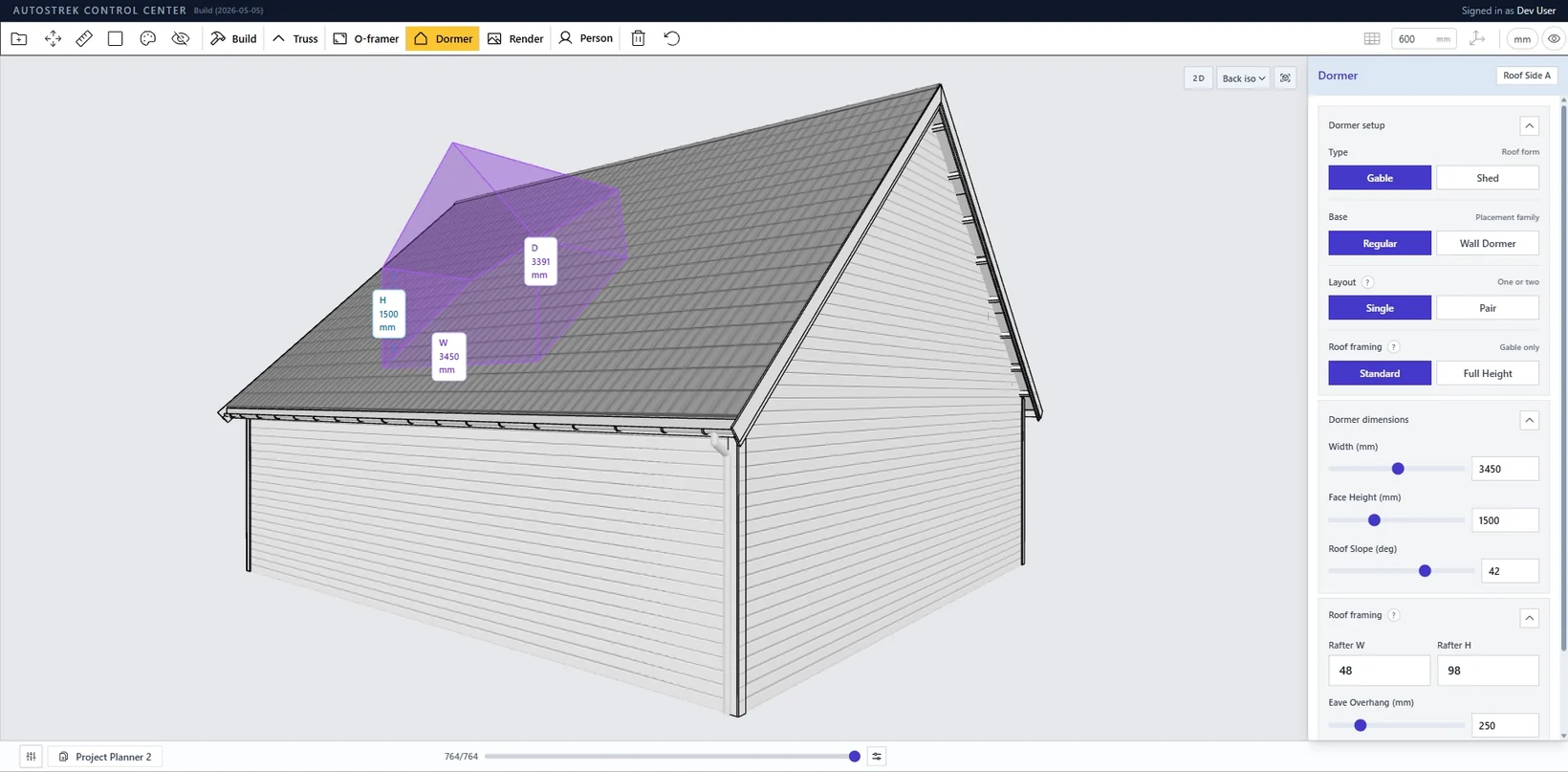
One of the biggest additions is the relatively new dormer tool. Dormers are a common feature in many roof designs, but they are also one of the places where a building model can quickly become complicated. A dormer is not just a visual box on top of a roof. It affects the roof surface, dormer walls, framing, sheathing, siding, and openings.
The dormer tool is built to make that workflow more practical. It allows dormers to be added directly into the 3D workspace and integrated with the generated building structure. The focus is on making dormers feel like part of the model rather than a separate decorative object.
This is still an area that will continue to improve, but the foundation is now in place for a much more useful dormer workflow inside Autostrek.
Parametric Truss Builder
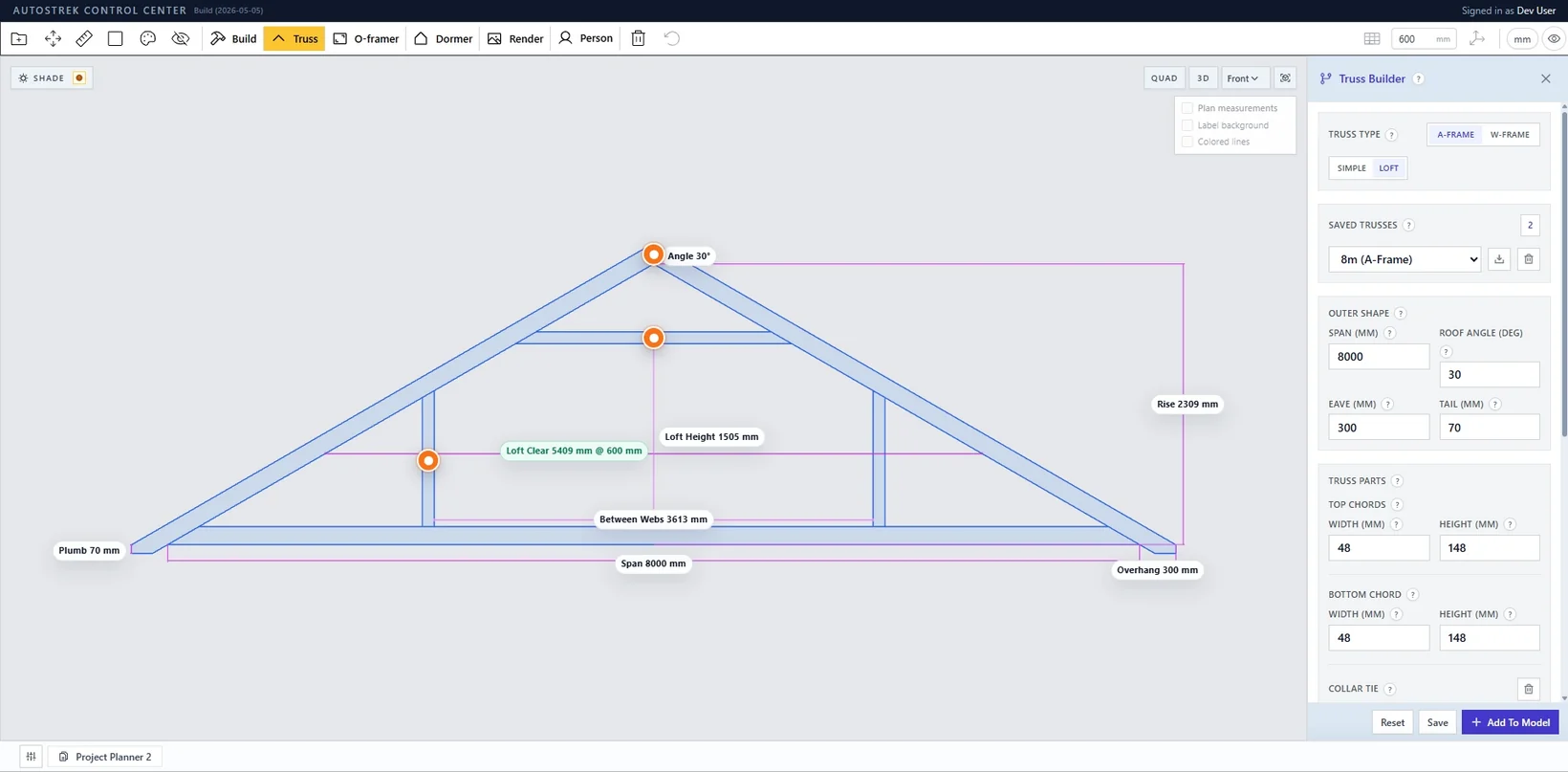
Another major update is the parametric truss builder. Trusses are central to many real building workflows, and Autostrek now has a much stronger foundation for generating and using custom truss layouts.
The truss builder makes it possible to work with saved truss definitions and use them in generated roof structures. This includes A-frame and attic-style trusses, where the roof structure is not only about supporting the roof but also about creating usable space inside the roof volume.
A lot of work has also gone into how A-frame and attic truss roofs connect to the gable ends. These roofs now support a better combination of truss structure and gable wall framing, including upper gable wall studs, top plates, end trusses, and attic floor sheathing.
Truss handling in the material list has also improved. Trusses are treated as PCS assemblies instead of adding every internal truss member into the regular lumber totals.
Attic Floor Sheathing for A-Frame Trusses
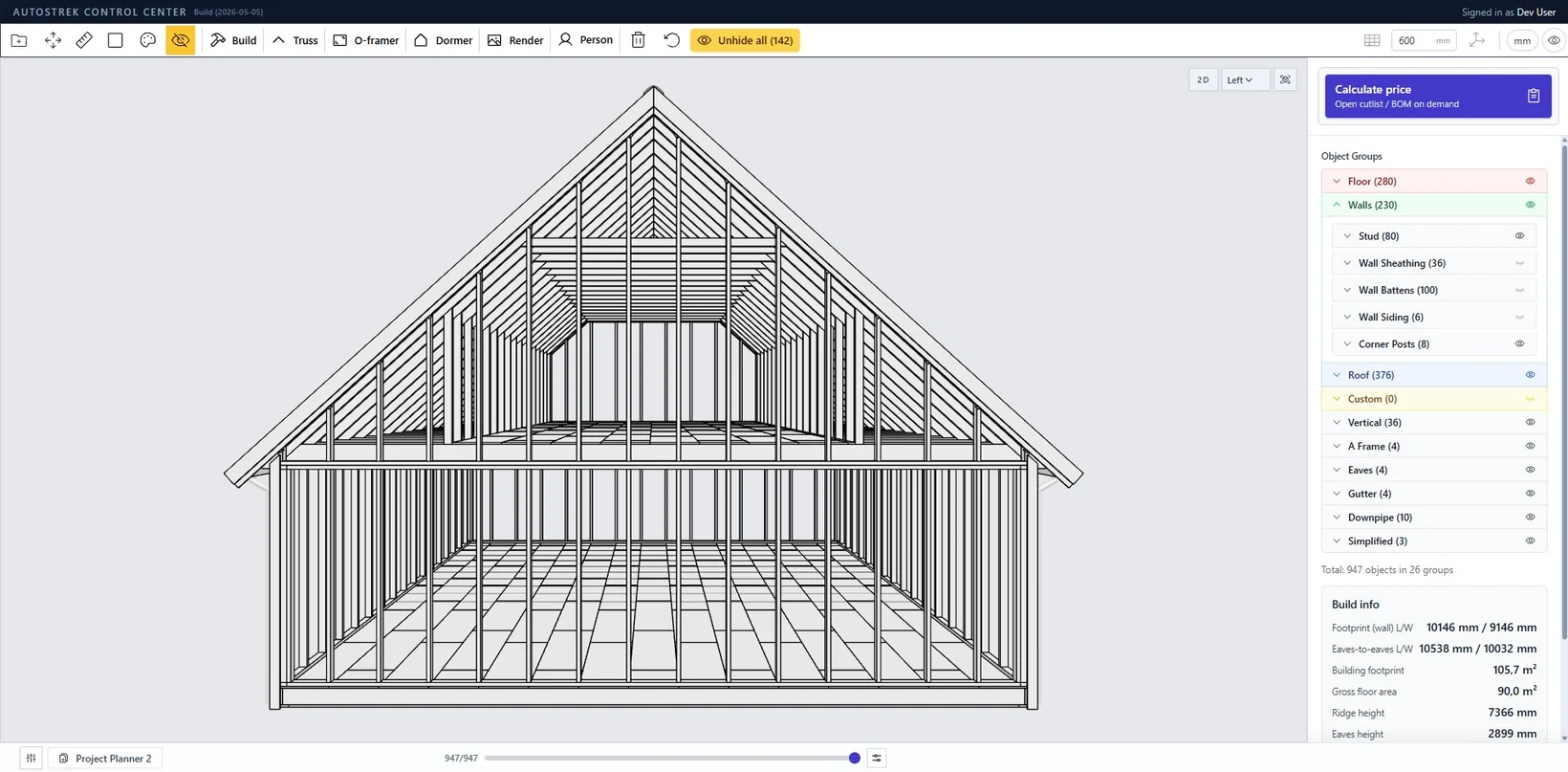
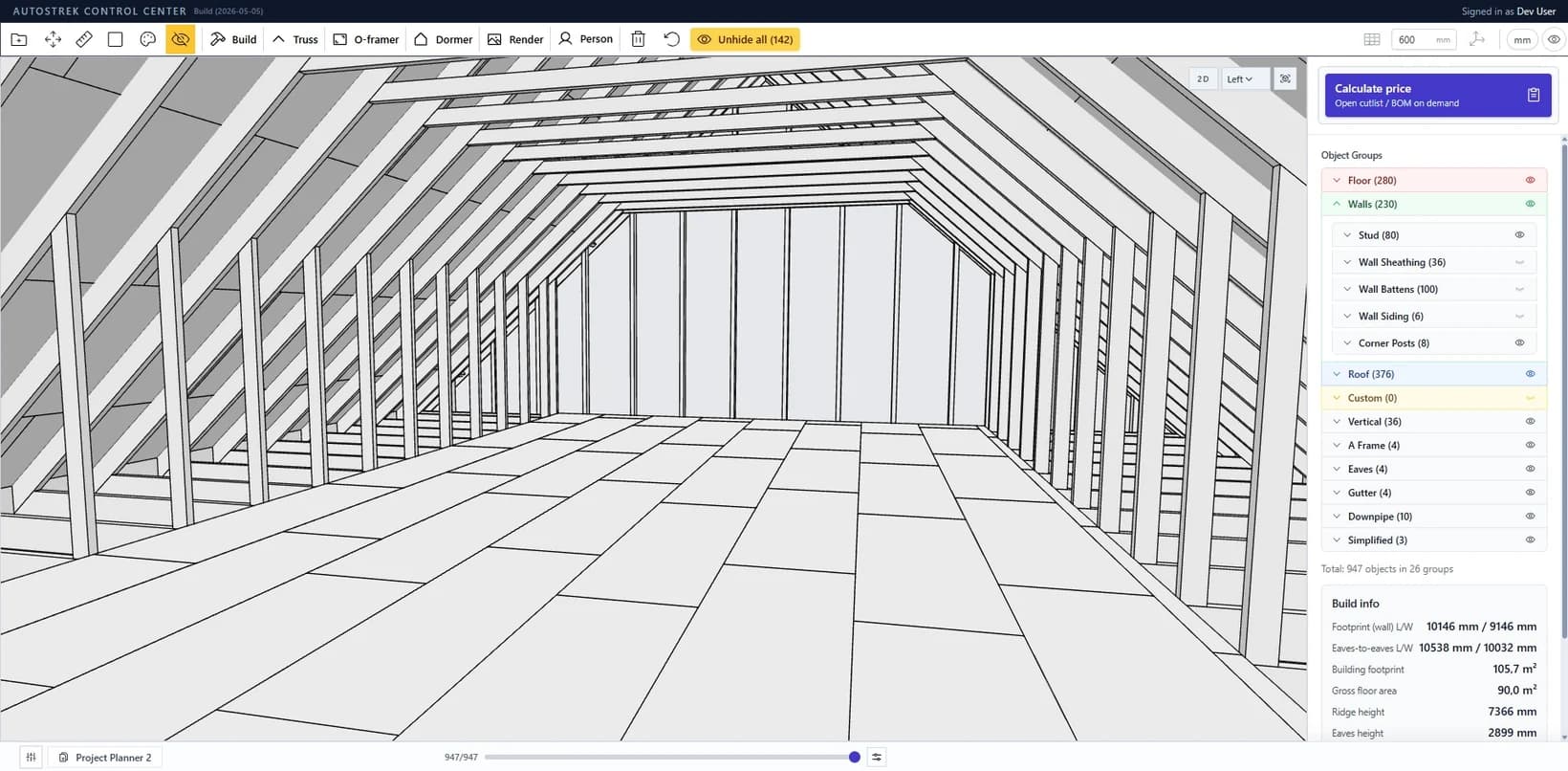
A-frame and attic truss roofs can now include attic floor sheathing that follows the same subfloor material as the main floor. This keeps the option simple: when enabled, the attic floor uses the same sheathing setup rather than requiring a separate custom material configuration.
The sheathing is generated between the knee wall areas and laid out with staggered sheets. The placement has also been refined so the sheets close the intended gaps without pushing into truss members.
Opening Framer Improvements
The opening framer has received a lot of refinement. Openings are one of the most important details in a framing model because they affect studs, headers, sills, cripple studs, sheathing, siding, and sometimes sloped gable walls.
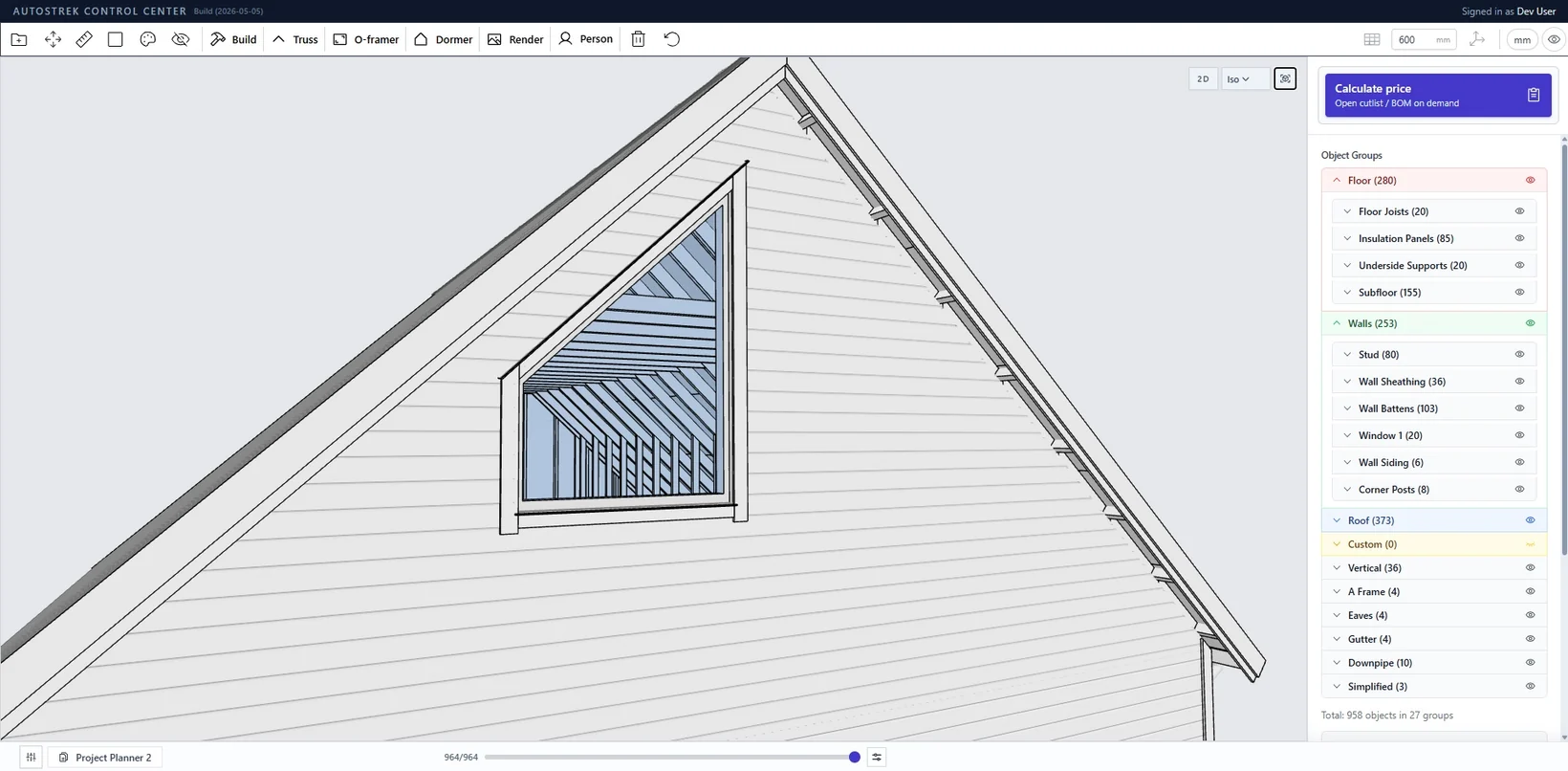
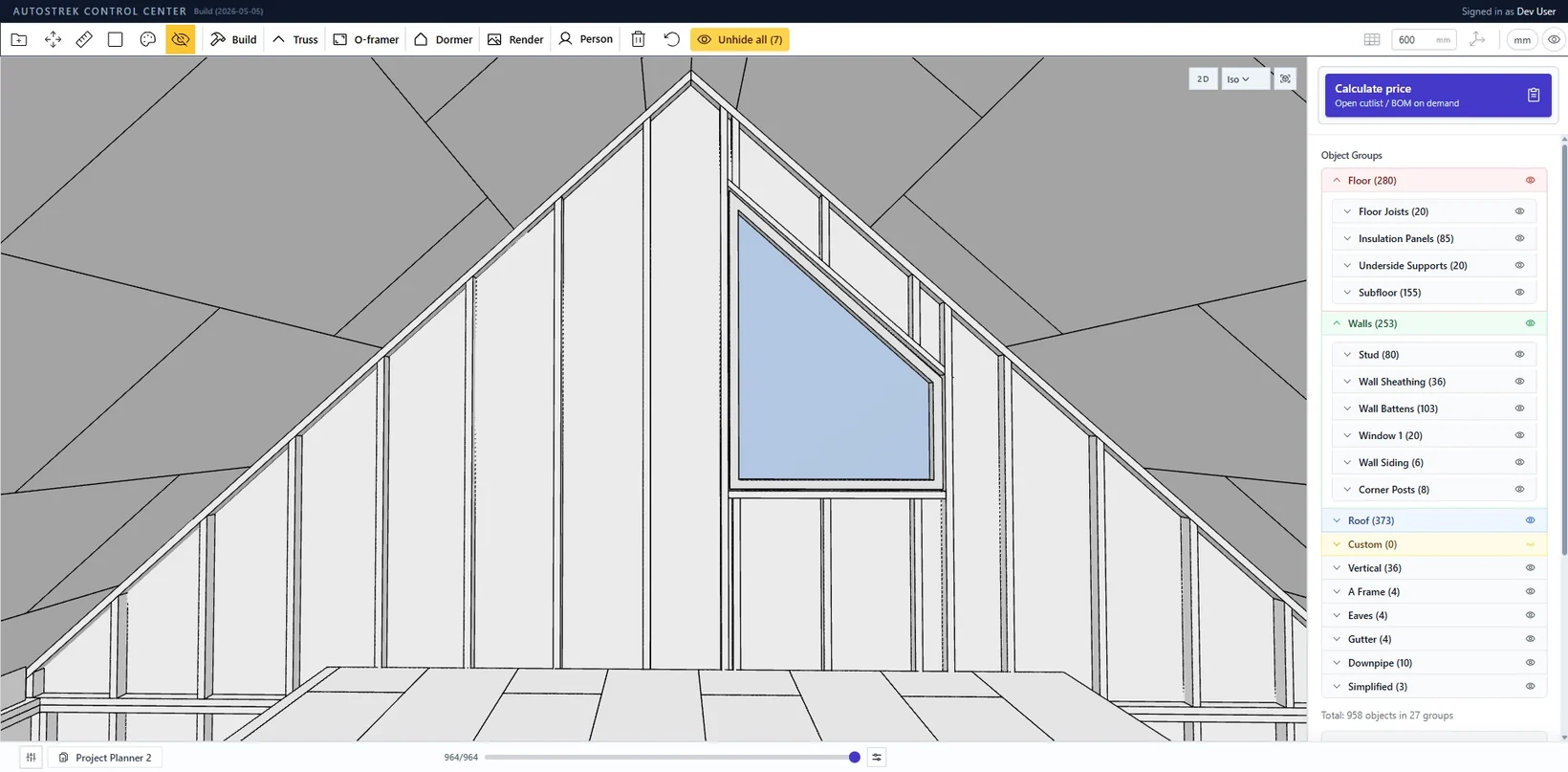
Recent improvements make the opening framer work better with upper gable walls, A-frame truss gable ends, and sloped roof conditions. When a window or door is placed in these areas, the surrounding framing now behaves more like the rest of the wall framing.
This is especially important for gable windows and attic spaces, where a square-cut stud can look wrong and interfere visually with the roof framing. The latest work improves how these members are shaped so they follow the slope more naturally.
CC Tape Measure: Measure and Place at the Same Time
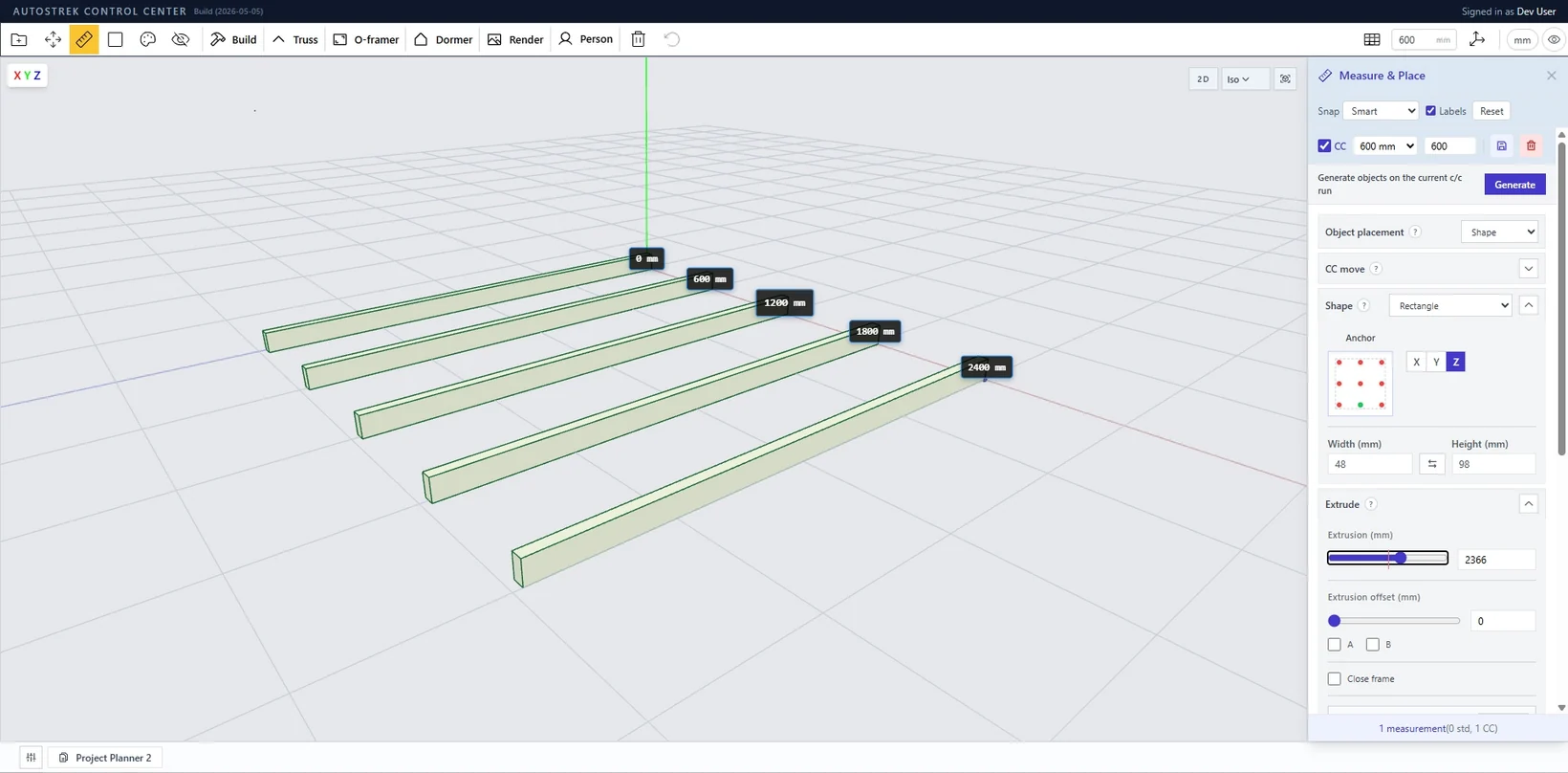
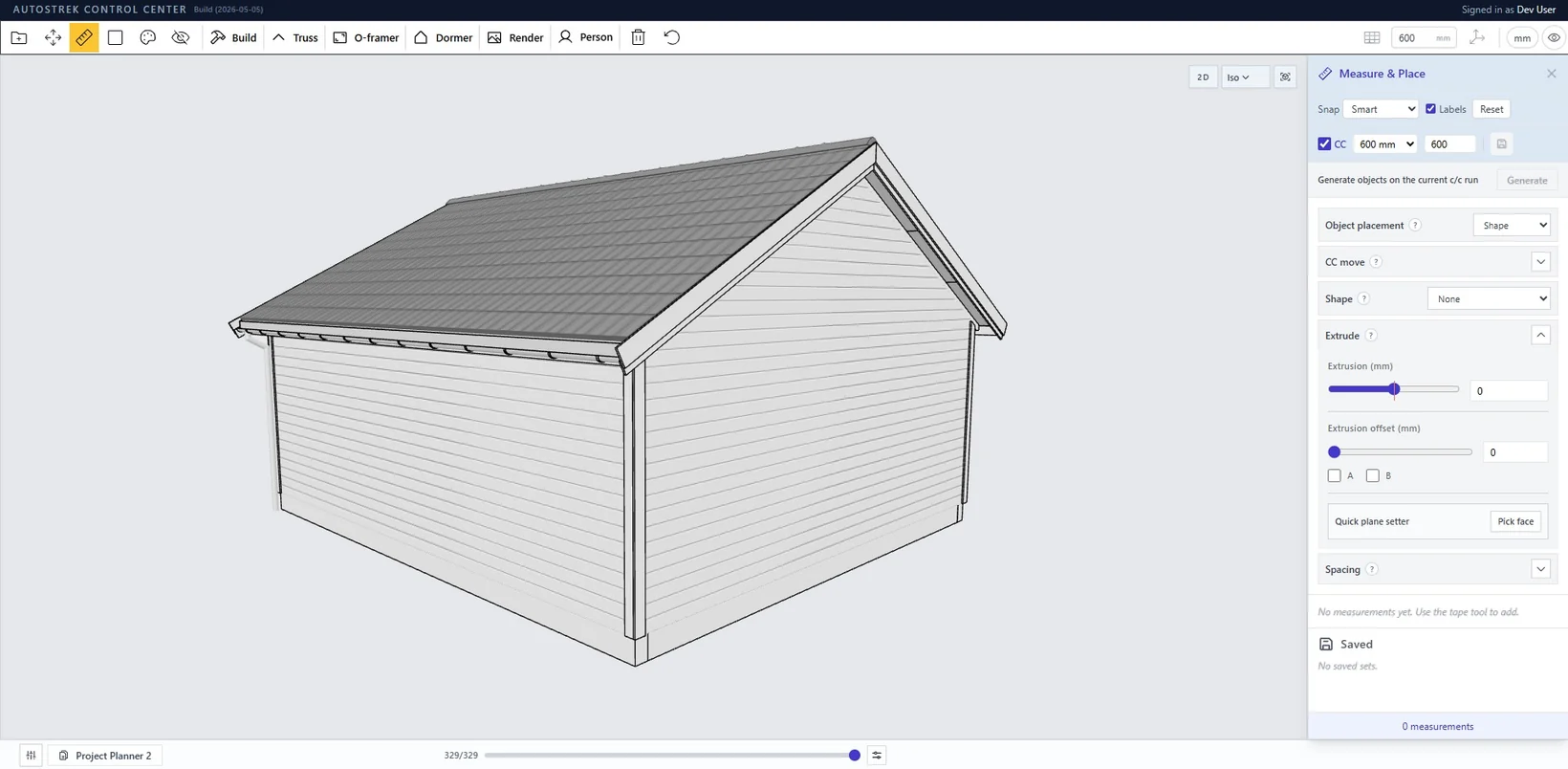
The tape measure workflow has become more important as Autostrek has grown. In real construction, a tape measure is often the first thing used when starting a build. It is used to lay out where things belong before they are installed. The same idea is behind the CC tape measure in Autostrek.
Instead of measuring first and adding objects manually afterwards, the CC tape measure is designed to combine layout and placement. It can place objects automatically at the correct center-to-center spacing, making it faster to add repeated elements in the right locations.
This is especially useful for framing workflows where spacing matters. The CC tape measure can help place repeated objects quickly and consistently, including structural elements like trusses.
This turns the tape measure from a passive checking tool into an active layout tool. It supports the way buildings are actually started: first mark the layout, then place the members.
Quad View and Elevation PDFs
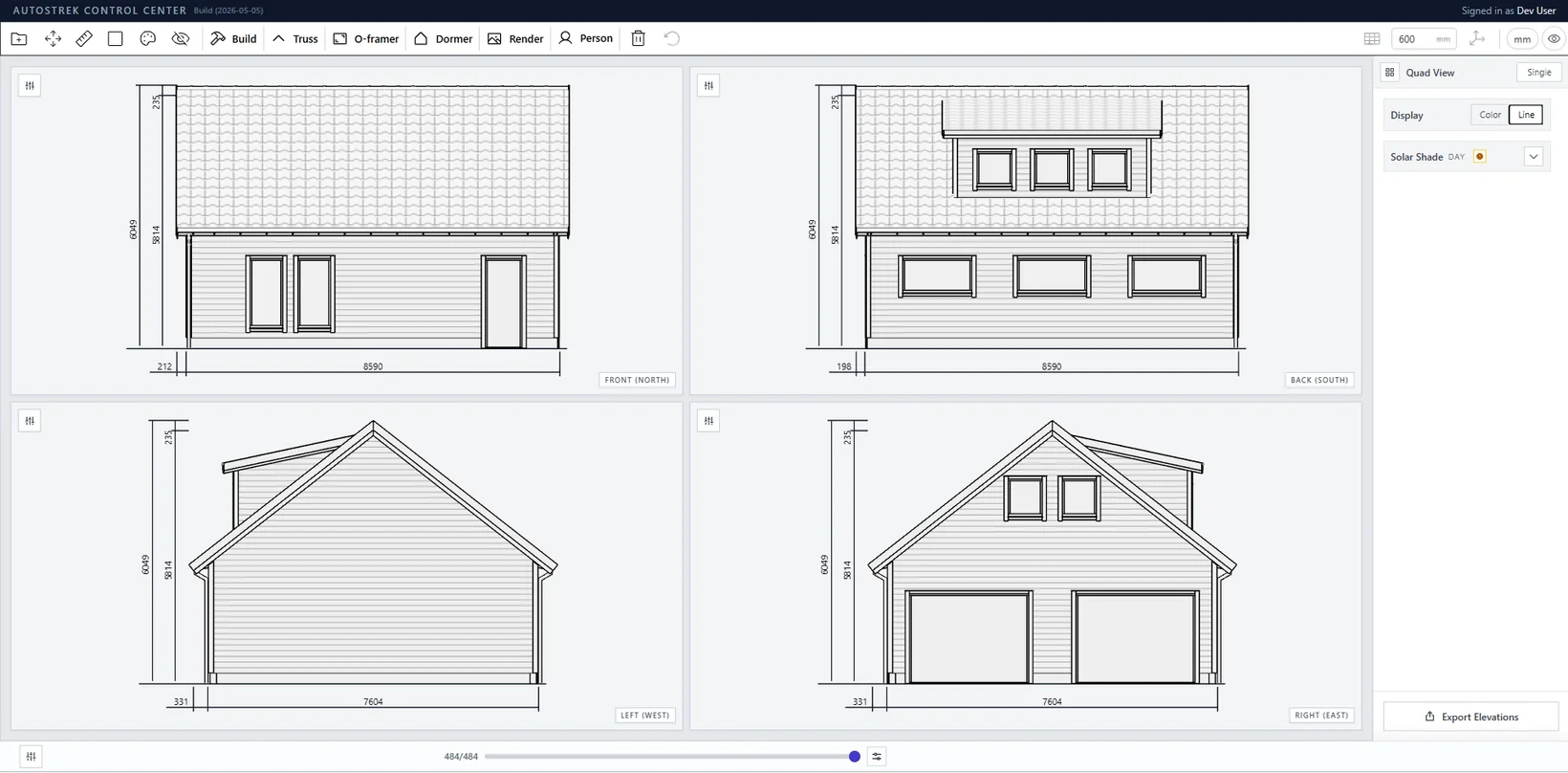
Another important update is Quad View. While the 3D model is useful for understanding the building, many projects also need clear 2D-style views. Quad View helps by presenting the model from multiple standard directions, making it easier to inspect the building as elevations.
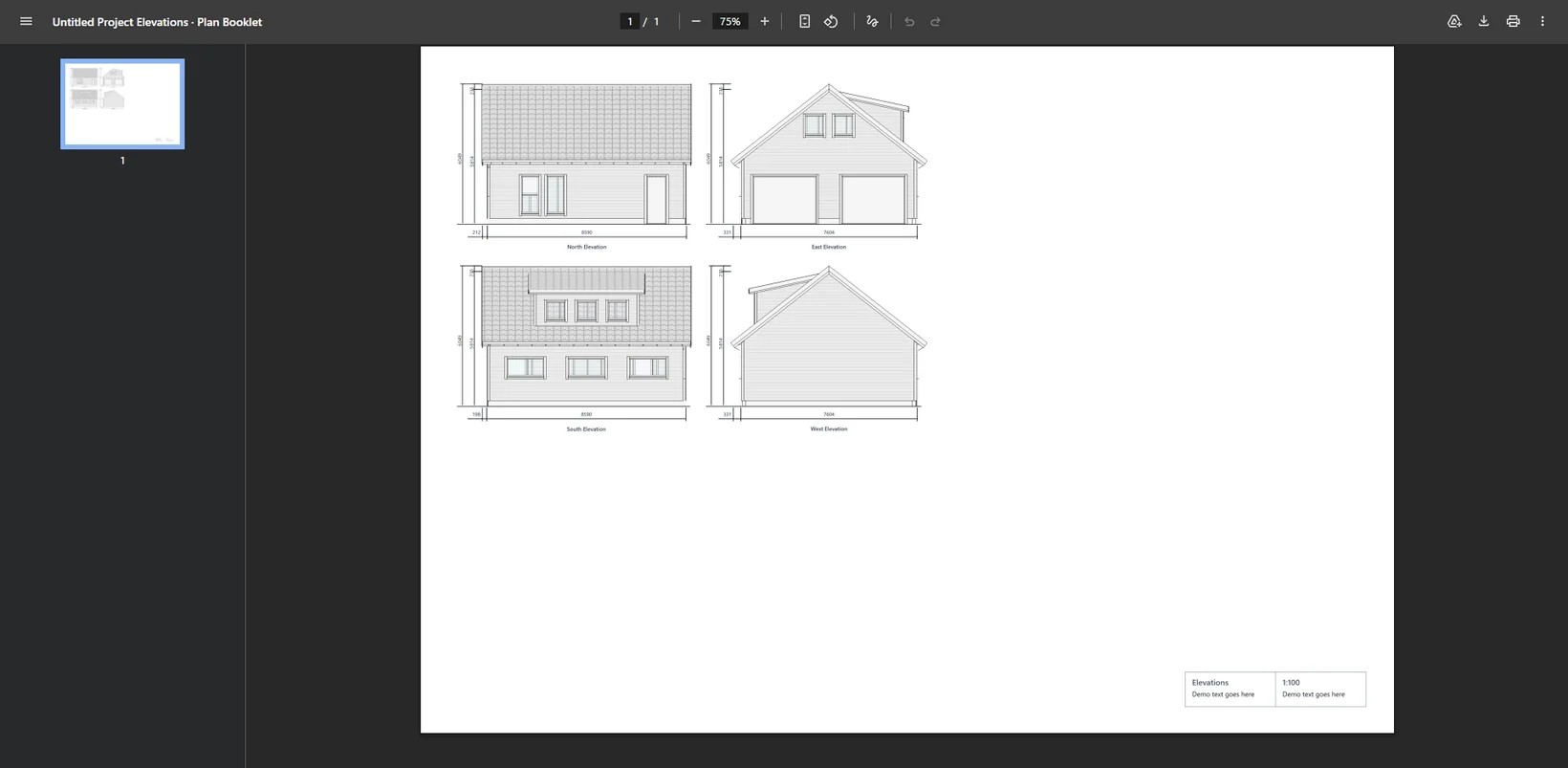
Quad View can also generate elevation PDFs in A4 and A3 formats. This makes it easier to create simple presentation or documentation views directly from the model without needing to manually recreate elevations elsewhere.
This is useful for checking proportions, reviewing wall layouts, sharing a project overview, or preparing clearer drawings from the generated model.
Performance and Stability
A lot of development time has also gone into performance and stability. This matters because Autostrek models can contain many generated objects: studs, plates, rafters, trusses, sheathing panels, siding boards, openings, dormers, measurements, and material metadata.
The recent performance work is focused on making larger and denser models more practical to generate, inspect, and update. This includes improvements around generated object handling, scene data, and workflows that need to stay responsive even as the model becomes more detailed.
These changes are less visible than a new tool, but they are important. Better performance makes it possible to keep adding detail without making the app feel heavy or unreliable.
Material Lists and Cut Lists
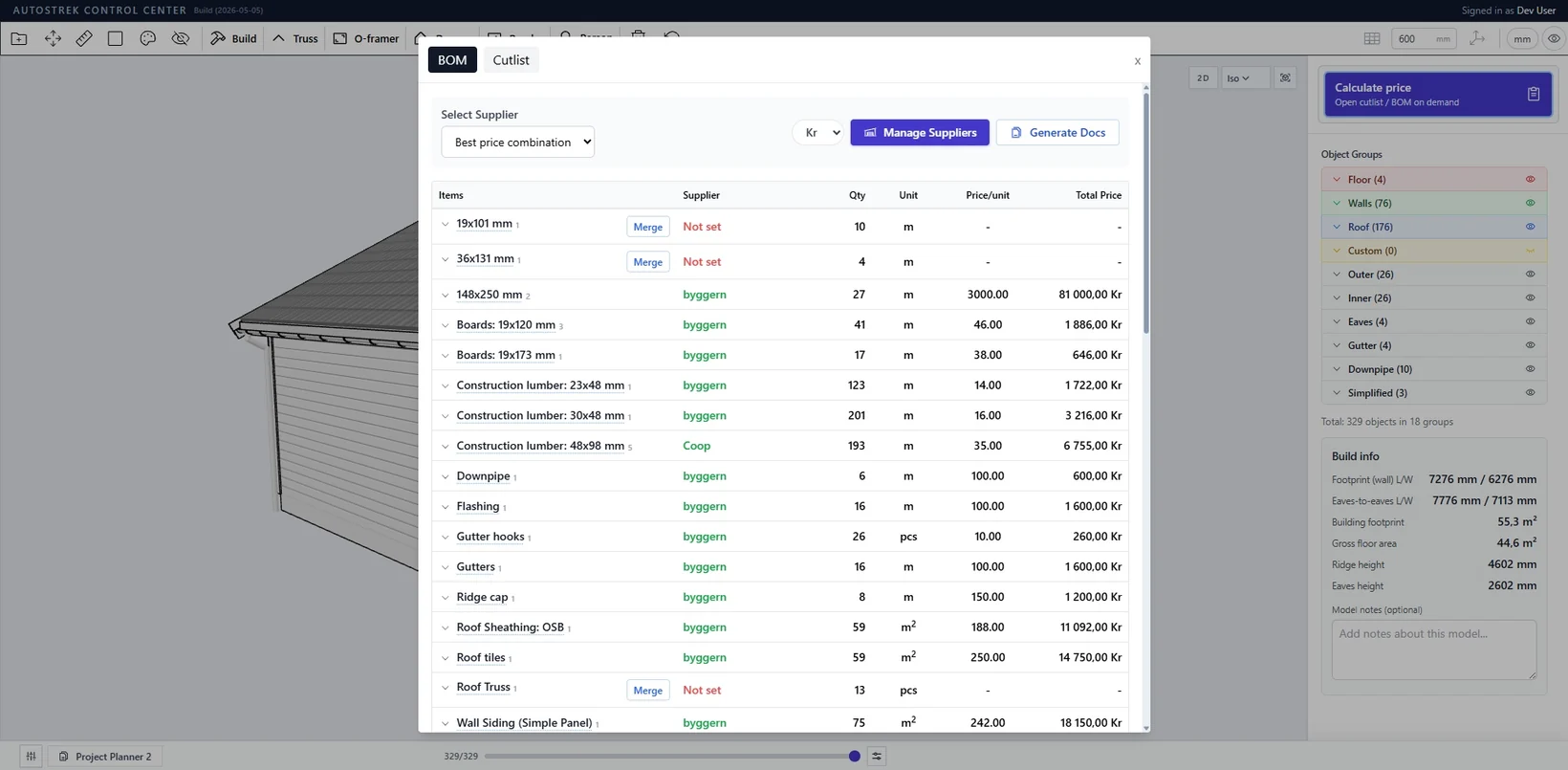
The material and cut list side of Autostrek continues to improve as well. The goal is to make generated material information more useful and closer to the way the project would actually be understood.
One important example is truss handling. Trusses are now treated as pieces rather than having their internal members added into the same lumber totals as regular wall studs, rafters, and plates. This makes the bill of materials clearer and avoids overstating standard lumber quantities when trusses are part of the design.
As more generated systems become available, better material grouping becomes increasingly important. Autostrek needs to understand the difference between a stud, a sheathing sheet, a truss assembly, an opening component, and a generated roof element.
Interface and Styling Improvements
The overall design and styling of Autostrek has also been improving. The app has many different workflows, and the interface needs to make those workflows easier to understand without getting in the way of the model itself.
The design system is still in progress, but the direction is clearer: cleaner controls, better organization, more consistent panels, and a more focused workspace. These changes are not only cosmetic.
There is still more polish to do, but the app is becoming more consistent and easier to navigate as the feature set grows.
Why These Updates Matter
The common thread across these updates is that Autostrek is becoming more connected. The tools are not only being added as separate features. They are being connected to the generated structure, the material list, and the editing workflow.
A dormer should affect the roof and walls. A truss roof should affect the gable ends and attic floor. A window should affect studs, sheathing, siding, and sloped framing. A material list should understand the difference between regular lumber and truss assemblies.
There is still a lot to improve, but this development cycle is a meaningful step toward a more complete Autostrek workflow: from project planning, to generated model, to detailed framing, to measurement, to material planning.