Start with the room
Lay out walls, windows and openings. Place cabinets and appliances, then move between plan and 3D views.
Design a kitchen. Build a cabinet. Make room for something of your own.
Plan rooms, customise cabinets and shelves, explore materials and prepare your parts in one workspace.
Free to use here · Own your website edition for one USD payment
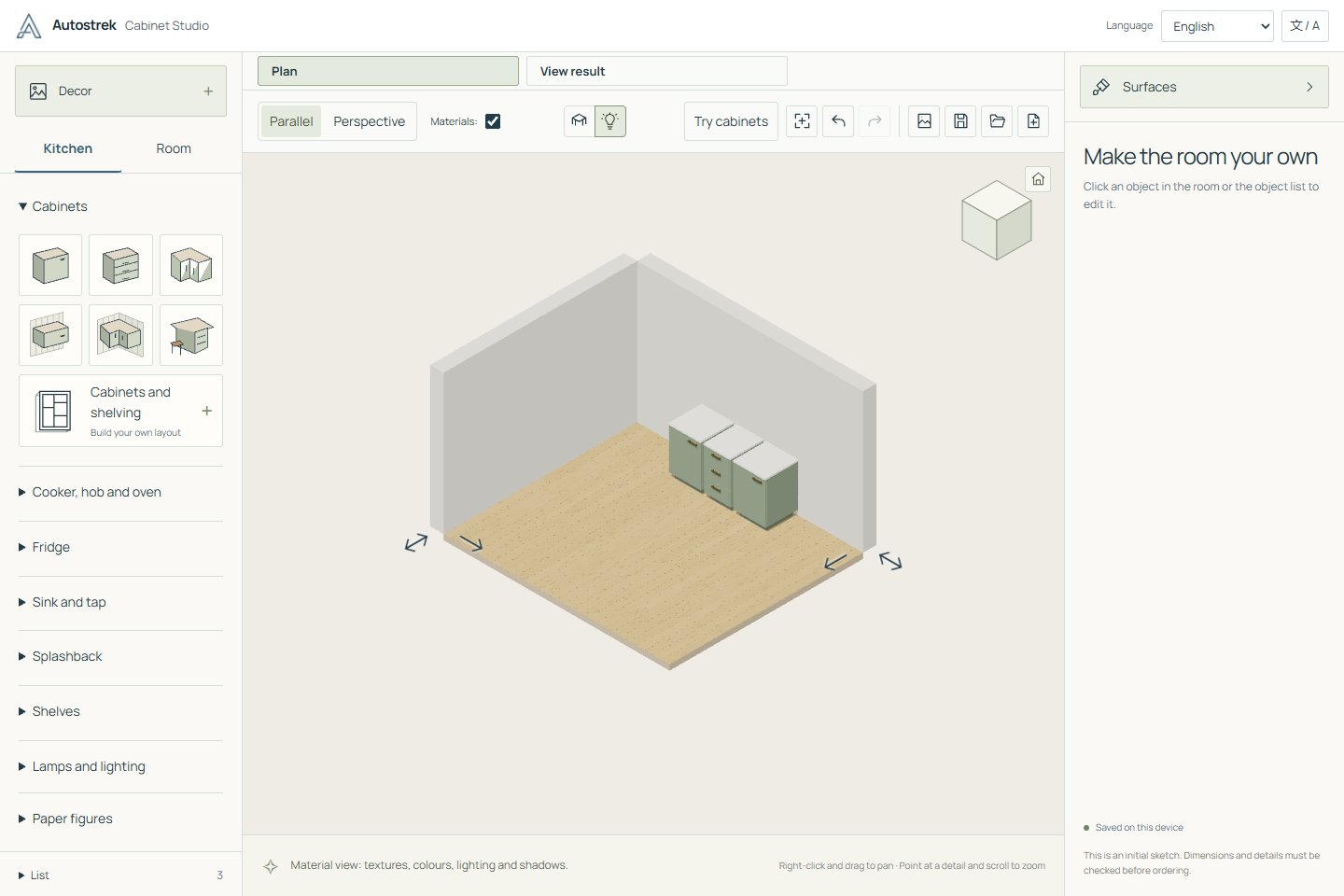
Lay out walls, windows and openings. Place cabinets and appliances, then move between plan and 3D views.
Build custom cabinets, shelving and individual panels. Adjust dimensions, drawers, doors, joints and finishes.
Your work stays in this browser. Download project files to back them up, move to another device or return to them later.
Bring a kitchen and cabinet designer to your own website. Let visitors explore their ideas, choose materials and start planning before they get in touch.
The website edition gives you your own copy of Cabinet Studio. Run it on your hosting and make it part of your customer experience.
Offer the designer within a page on your site, or give it a dedicated page of its own.
Choose where it runs. The package includes the assets needed to serve the designer yourself.
Keep using your copy without a Cabinet Studio subscription or design usage limits.
Get a permanent Cabinet Studio licence and your first month of Autostrek for $197 USD total. Then $29 USD per month for Autostrek until cancelled.
Your first payment includes the $168 Cabinet Studio licence and the $29 Autostrek month. Cabinet Studio feature updates are included during paid subscription periods. Keep your covered Cabinet Studio versions if you cancel.
A complete package for your own website.
Purchase the website edition for $240 USD. Download the designer package and the setup instructions.
Place the included files in a folder or subdomain on your web hosting. Your web developer can help with this step.
Embed the hosted designer in a page using an iframe, or link to it as a full-page app. Your visitors can start designing in their browser.
Switch between English and Norwegian in the designer. Add another language by editing a translation template yourself or translating it with AI, then importing the file.
Try the kitchen planner, custom cabinet tools and project downloads right here. No account, subscription or trial timer.
Start designingThe free designer runs here on Autostrek and includes the design tools and project downloads, with no trial timer. The paid website edition gives you a downloadable copy to host on your own website and offer to your visitors. The commercial package includes a generic collection of wallpapers, artwork and models.
Choose the $240 USD standalone edition or the Autostrek bundle on our billing page. Create an account, accept the simple licence and pay securely through Stripe. Your Cabinet Studio downloads and licence are saved in your billing account.
You will need web hosting that can serve static files over HTTPS, plus access to upload those files. The designer itself does not need an application server or database. Hosting and a domain are arranged separately through your own provider.
Upload the designer to your own hosting, then show it inside an existing page using an iframe. You can also link to it as a full-page designer. Your website must allow embedded content; the included setup guide explains the details.
Projects are saved in the visitor’s browser. They can download a project file to keep a backup, move it to another device or share it with you. The designer does not automatically send projects to your business or sync them between devices.
No. The website edition is a one-time purchase with no Cabinet Studio subscription, activation service or design usage limits. Your usual website hosting costs still apply.
Your installed Cabinet Studio keeps working, and you can still download previously covered versions. The standalone purchase includes 12 months of feature updates. Cabinet Studio owners also receive new releases during paid Autostrek subscription periods. Necessary statutory updates are unaffected.
Use Cabinet Studio commercially, embed it on your websites, let visitors design for free, and configure or translate your copy. You cannot resell the software as your own product, give away the installation package or reverse engineer proprietary code except where applicable law permits. Your own designs remain yours.